Papago vs Google Translate in Korea
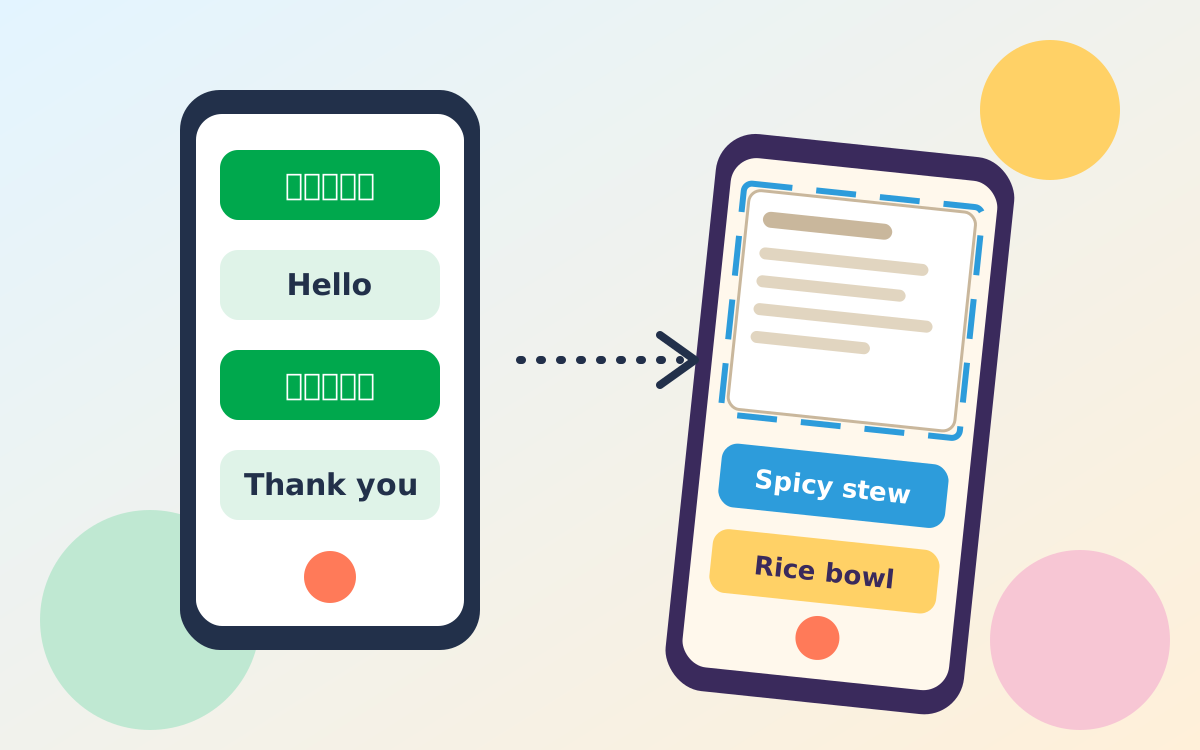
Install both. Papago lists 14 languages with image, conversation, website and offline text translation, while Google Translate offers downloadable languages and camera translation. Download Korean and English offline before you fly, use the camera for menus, and show short, simple sentences to staff.
- Papago
- 14 languages; image, conversation, website and offline text translation
- Google Translate
- Downloadable offline languages and camera translation
- Best habit
- Download Korean and English on Wi-Fi before you fly
- Official sites
- Papago · Google Translate
What should I know before I choose a translation app?
App details checked November 1, 2026
No translation app is perfect, so install two, set them up at home and treat the results as a guide rather than a guarantee. Features, language lists and offline options change with app updates, so the points below come from the official app pages read on the date above. Confirm current details in your own app store before you travel.
- Worth knowing: The Papago app store listing describes image translation, one-to-one conversation translation, website translation and text translation without an internet connection.
- A common mistake: Waiting until you land to download languages. Do it on home Wi-Fi so you are not relying on airport connections.
- Local tip: Pair a translator with a map app. Our guide to Naver Map in English covers searching by Korean name, which saves a lot of typing.
Which app is better for travellers in Korea?
Use Papago as your Korean-focused tool and Google Translate as your all-round backup, and let the task decide which one you open. Papago is Naver's translation app and lists Korean among 14 supported languages. Google Translate covers many more languages and lets you download them for offline use, which helps if you also visit Japan or China on the same trip.
- Reading a menu, sign or parcel label: try the camera in both apps and keep whichever result reads more naturally.
- Talking with a taxi driver or shop clerk: use conversation mode in Papago, or type a short sentence and show the screen.
- Travelling beyond Korea: Google Translate's wider language list is the practical choice.
Practical example: at a barbecue restaurant, scan the menu with the camera, then type "Is this spicy?" into the translator and show the Korean result to the server. Our Korean BBQ ordering guide lists what you will be asked next.
How do the two apps compare feature by feature?
Both handle text and camera translation; they differ in language coverage, offline scope and how clearly the official pages describe each feature. The table uses only what each official page states, so a blank-looking cell means the page did not say.
| Feature | Papago | Google Translate |
|---|---|---|
| Languages | 14, including Korean and English | Many more; choose in the app |
| Camera or image translation | Yes: snap a photo and the app translates the text | Yes: live camera or saved images, with limits on some devices |
| Conversation mode | Yes: two people speak in their own languages | Not stated on the help page checked |
| Website translation | Yes: enter a URL | Not stated on the help page checked |
| Offline | Text translation only | Downloaded languages, plus camera for some languages |
| Weak spot | Not stated on the page checked | "Small, unclear, or stylized text may not be accurate" |
Google's own image translation help page warns that small, unclear or stylised text may not be accurate and that a strong network connection gives the best results. Handwritten or decorative Korean menus are likely to be the hardest to read in any app.
How do I set up offline translation before I fly?
Download Korean and English for offline use on Wi-Fi at home, then test the app in airplane mode. Google says downloaded languages let you translate without an internet connection, and Papago lists offline text translation.
- Install both apps. Get Papago and Google Translate from your phone's app store.
- Download languages. In Google Translate, pick a language and tap its download icon; the offline language help page explains the steps. Languages that show no download option cannot be saved.
- Check data settings. Google notes that downloading over mobile data may affect your carrier charges, so stay on Wi-Fi.
- Test in airplane mode. Type a sentence to confirm text translation works without a signal.
- Plan your connection. Camera, voice and website translation work best online, so see our guides to free Wi-Fi in Korea and getting a Korean phone number.
How do I translate a Korean menu or sign?
Open the camera mode, hold the phone steady over printed text, and check the result against the photos or prices on the menu. Printed menus translate best; handwritten boards are the hardest.
- Open camera translation. In Google Translate set the languages, tap Camera and point at the text. In Papago, use the image translation option.
- Steady the phone. Use the camera flash in low light and avoid glare on laminated menus.
- Select the part you need. Google lets you tap words and drag the selection to translate only a line.
- Cross-check dishes. Dish names are often translated literally, so compare with menu photos or ask staff.
- Confirm dietary needs. For allergies or meat-free meals, type the request and show it to staff rather than trusting a scan alone.
For help with kiosks and call bells, see our guide to ordering at a Korean restaurant.
What habits make translation apps work better?
Short, plain sentences translate best, so write what you need in one idea at a time. Avoid slang and long clauses, and show the screen rather than reading the output aloud.
- Keep it short: "Where is the toilet?" works better than a long story.
- Save key phrases: save your hotel's Korean address, your allergies and "no spicy" as favourites.
- Carry a backup: keep a screenshot of important Korean text in your photo gallery in case you lose signal.
- Verify numbers: confirm prices and times by pointing at digits instead of relying on spoken translation.
FAQ
Is Papago better than Google Translate in Korea?
Neither wins every task. Papago is built by a Korean company and lists image, conversation and website translation, while Google Translate covers far more languages. Test both on a real menu or sign before you rely on one.
Can I use Papago or Google Translate offline in Korea?
Yes, with limits. Papago offers offline text translation only, and Google Translate lets you download languages in advance. Download Korean and English on Wi-Fi before you fly.
Can I translate a Korean menu with my phone camera?
Yes. Both apps can translate text in a photo or live camera view. Small, stylised or handwritten Korean text may translate poorly, so check unclear dishes with staff.
Do I need a Korean SIM or Wi-Fi to use translation apps?
Not always, but a connection helps. Offline text translation works without data once languages are downloaded, while camera, voice and website translation work best online.
Official sources and useful links
Links open in a new tab. App features change with updates; verify on these pages.
- Naver Papago Naver Papago, the official translation site
- Papago on the App Store Papago app store listing with feature descriptions
- Google Translate: download languages Google's steps for downloading languages for offline use
- Google Translate: translate images Google's guide to translating text in images
- Google Translate Google Translate, the official web version
- VisitKorea (Korea Tourism Organization) official tourism information in English
Disclosure: This site shows ads served by Google AdSense, and some links may be affiliate links that earn a small commission at no extra cost to you. This never affects our recommendations. Prices and rules change, so please confirm details with the official sources before you travel.