How to Use Kakao T as a Foreigner
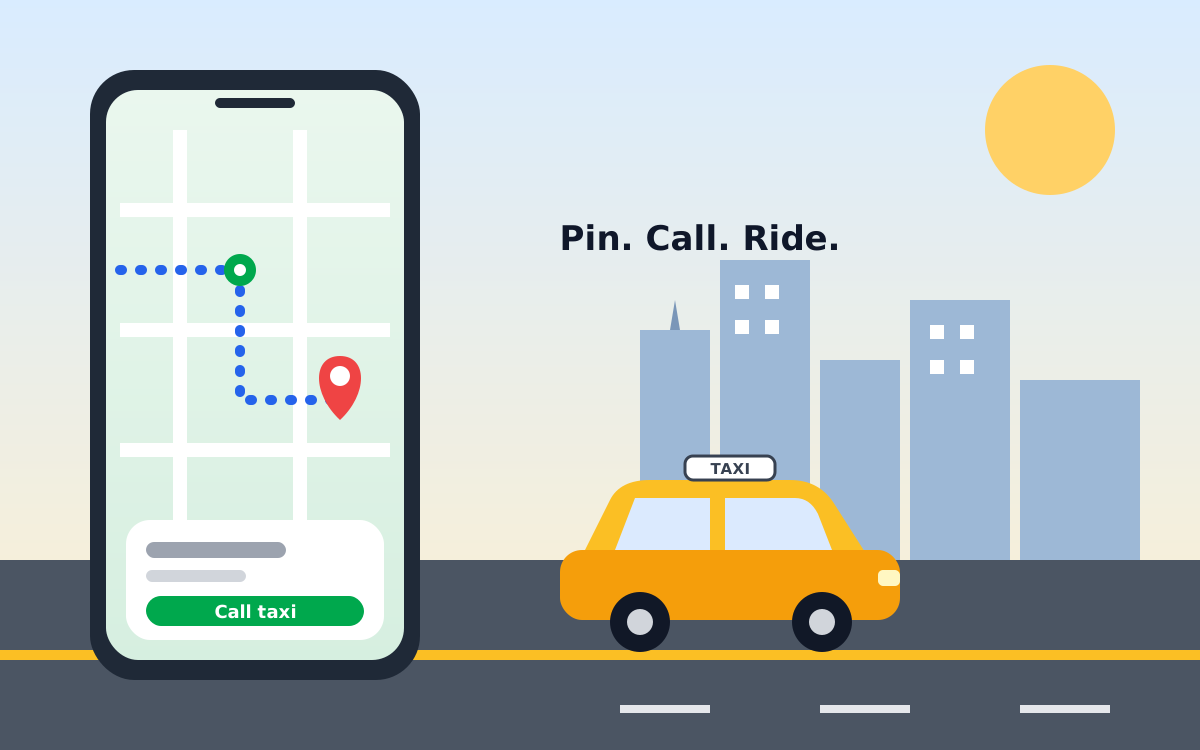
Regular Seoul taxis start at about 4,800 won, and Kakao T lets you call one in English. Install the app, sign up with your overseas number, set the language to English and enter your destination; the driver sees it in Korean. Pay in the app with a foreign card, or pay the driver.
- Regular taxi fare
- About 4,800 won for the first 1.6 km (confirm locally)
- Language
- English interface; destinations show to drivers in Korean
- Payment
- Registered card, or cash or card to the driver
- Tipping
- Not customary
- Operator
- Kakao Mobility
What should I know before I arrive?
Fares and rules checked October 6, 2026
Set up the app before you fly, because verification and card registration are easier on home Wi-Fi than at an airport curb. Kakao T is the most widely used taxi-calling app in Korea and is operated by Kakao Mobility. Many visitors still hail taxis by hand, so treat the app as a convenience, not a requirement.
- Worth knowing: Taxis in Korea are metered. The fare is the meter amount plus any call fee, tolls and surcharges, not a price agreed in advance.
- A common mistake: Dropping the pin on a main road where cars cannot stop. Move it to a side street or a clear landmark such as a convenience store.
- Local tip: Carry some cash in won and a T-money card as a backup. Pay-to-driver rides work without in-app payment.
Can foreigners use Kakao T?
Yes: the app has an English interface and accepts destinations typed in English, though the exact signup and card rules can change, so check the app on the day. Kakao Mobility publishes the service, and travel guides report that you can register with an overseas phone number instead of a Korean one. Your destination is shown to the driver in Korean, which removes most of the language problem.
- Short hops in Seoul: the app saves you from standing on a corner waiting for an empty taxi.
- Late evening or rain: empty taxis are harder to flag down, so calling one is usually quicker.
- Metro, bus or walking is quicker: for a few stops along a subway line, see the Seoul subway guide first.
Practical example: a traveller leaving a Hongdae restaurant at 23:30 can type the hotel name in English, check the estimated fare, and call a taxi without speaking any Korean.
How do I set up Kakao T step by step?
Download the app, create an account, switch the language to English, then set a pickup point and destination. Screens change between app versions, so treat the order below as a guide.
- Install. Get Kakao T from the App Store or Google Play and open it before your trip.
- Sign up. Create an account with an email, a Kakao account or another sign-in the app offers, and verify your phone number. Visitors report that an overseas number with its country code is accepted, but approval can take longer.
- Set English. Open the profile or settings menu and change the language to English.
- Add a payment method (optional). Register a card for in-app payment, or skip this and pay the driver.
- Enter the trip. Check the pickup pin, search your destination by name, and review the estimated fare.
- Pick a ride type and call. Confirm, then watch the car approach on the map.
- Match the car. Check the licence plate shown in the app before you get in, and show the driver the destination on screen if needed.
How do I pay for a Kakao T ride?
You can pay in the app with a registered card or hand cash or a physical card to the driver, depending on the ride type. Foreign cards from the main networks are reported to work, but acceptance varies by card, so test the registration before your first ride.
- In-app payment: the fare is charged automatically at the end of the trip. Reports say foreign cards may see a temporary authorisation hold above the estimated fare, which later drops off.
- Pay to driver: reported for regular and deluxe taxis; pay by cash, a physical card or a T-money card, as you would in a street-hailed taxi.
- Premium rides: some higher-priced ride types are reported to require in-app payment, so register a card if you want them.
If in-app payment fails, switch to pay-to-driver rather than cancelling. See Cash or Card in Korea for general payment tips.
Which ride type should I choose, and what does it cost?
Choose a regular taxi for the lowest fare; the Seoul meter starts at about 4,800 won for the first 1.6 km, and premium types add a surcharge. Fare figures below come from travel guides and press reports, not from an official tariff page, and a fare rise has been discussed, so confirm the current rate on the meter or at Visit Seoul.
| Ride type | Approx. cost | Payment | Best for |
|---|---|---|---|
| Regular taxi | About 4,800 won base, then about 100 won per 131 m | In-app or pay driver | Lowest fare, short trips |
| Deluxe taxi | About 7,000 won base | In-app or pay driver | Larger cars, more comfort |
| Blue and other premium types | Meter plus an extra fee shown in the app | Usually in-app | Faster matching, higher service level |
Late-night rides between 22:00 and 04:00 carry a surcharge, and trips outside the city boundary can cost extra. Tolls are added to the fare. Tipping is not expected, which VisitKorea also notes for visitors. Always compare the in-app estimate with the final meter.
FAQ
Do I need a Korean phone number to use Kakao T?
Reports from visitors say you can sign up with an overseas number, but verification can be slower than with a Korean number. Install the app and register before you travel, and keep cash ready as a backup.
Can I pay for Kakao T with a foreign credit card?
Often yes, but acceptance varies by card. If in-app payment fails, choose the pay-to-driver option, which is offered for regular and deluxe taxis, and pay with cash or a physical card.
Do I tip a Kakao T driver?
No. Tipping is not customary in Korea. You pay the meter fare plus any call fee, tolls and surcharges shown in the app or on the meter.
Is Kakao T cheaper than hailing a taxi in the street?
Not necessarily. The regular taxi meter is the same, but the app can add a call fee and some ride types, such as Blue or Black, cost more. Hailing is fine when an empty taxi is in sight.
What if the driver cannot find me?
Zoom in on the map and move the pin to a clear landmark, then use the in-app call or message option. Match the licence plate shown in the app before you get in.
Official sources and useful links
Links open in a new tab. Fares and app rules above are approximate; verify on these pages.
- Kakao Mobility operator of Kakao T, with service information
- VisitKorea official tourism information in English, including transport
- Visit Seoul Seoul's official tourism site with transport tips
- Seoul Metropolitan Government city government, which sets Seoul taxi fares
Disclosure: This site shows ads served by Google AdSense, and some links may be affiliate links that earn a small commission at no extra cost to you. This never affects our recommendations. Prices and rules change, so please confirm details with the official sources before you travel.